Test-context update — November 11, 2026. A 2026 PCWorld test found that an external GeForce RTX 5090 connected using HighPoint hardware and CopprLink ran close to the same GPU installed directly in a motherboard. Across the benchmark comparison summarized by several hardware outlets, the performance gap averaged approximately 2.29%. This is one tested setup, not proof that every external GPU can match a desktop installation or that the system works with ordinary laptops.
What exactly was tested?
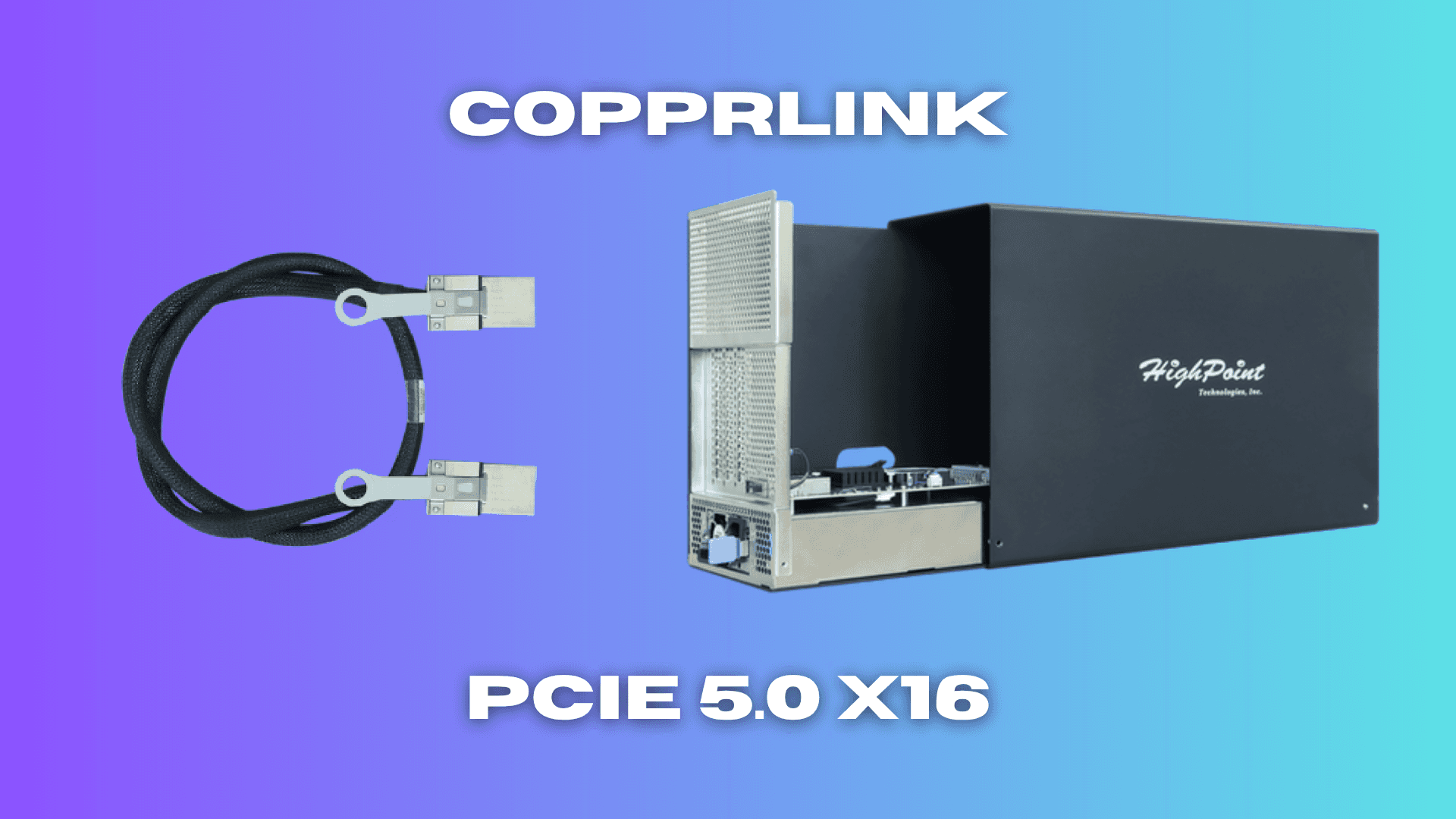
PCWorld's April 2026 hands-on report described the HighPoint RocketStor 8631D external expansion chassis running an RTX 5090 through CopprLink, a PCIe 5.0 x16-oriented external interconnect.
Rather than using a conventional Thunderbolt dock, the test PC needed a separate HighPoint Rocket 7634D PCIe host adapter. That card supplied the dedicated connection between motherboard and expansion chassis.
Independent summaries, including Tom's Hardware and VideoCardz, reported the result as about 2.29% slower on average than the internal-card configuration.
A small gap in that test is noteworthy, but it does not mean a universal 2.29% penalty across other games, rendering workloads, PCIe configurations, CPUs or hardware generations.
Why does CopprLink deliver more bandwidth?
HighPoint's official RocketStor 8631D product page lists PCIe 5.0 x16 support using CopprLink technology with retimers. HighPoint's manufacturer data sheet gives a headline link figure of 64 GB/s.
That is a substantially different design from most consumer external-GPU solutions. USB4 or Thunderbolt docks are convenient because they fit familiar laptop ports, while the HighPoint system exposes a much wider dedicated PCIe link through a specialist external connector.
The manufacturer uses bidirectional throughput language in its documentation. PCIe transfer rates also have protocol overheads and can be expressed in different units or directions. Readers should not confuse a theoretical link bandwidth number with guaranteed game-frame performance or actual data delivered to the GPU every second.
In short, more bandwidth can reduce a bottleneck, but the practical benefit depends on what the game or compute workload transfers across the link.
What hardware and prices were involved?
The setup was not a small USB-C docking box. It used specialized hardware with the approximate 2026 US prices below:
| Component | Approximate quoted price |
|---|---|
| HighPoint RocketStor 8631D external chassis | $1,299 |
| HighPoint Rocket 7634D host adapter | $999 |
| Combined additional hardware | About $2,298 |
| GeForce RTX 5090 graphics card | Not included in the above |
The $2,298 figure is approximately the enclosure plus adapter, not the complete RTX 5090 system. Pricing may change by seller and date. HighPoint's product listing describes the enclosure as including a 1,300 W power supply, with cooling and physical space for large professional or enthusiast GPUs.
The original headline's "$2,300 in additional hardware" therefore refers to the specialist external connection system. It does not establish that a gamer can build the whole setup for $2,300, nor that every desktop motherboard supports the host adapter configuration.
Why is this different from a laptop eGPU?
CopprLink is not normally the same as plugging a graphics enclosure into a laptop's USB-C port. HighPoint's host adapter occupies a dedicated high-bandwidth PCIe slot inside a compatible computer, and ordinary notebooks lack that slot and this external connector.
PCWorld's report explicitly noted the limitation for consumer laptops. The test is therefore most relevant to workstations and desktops that need external expansion, not to someone hoping to carry a powerful external RTX 5090 in a backpack with a handheld console.
A desktop that already has a suitable internal GPU slot may not gain much practical convenience by relocating its GPU to a larger external chassis. Some workstation workflows benefit from easier hardware placement, dedicated power and thermal management, but that must be evaluated against the cost and cable complexity.
The existing article's description of a revolution in portable gaming was consequently an unsupported extrapolation from a server/workstation-style test.
Is 2.29% an assured performance loss?
No. It is an average reported for a specific benchmark set. Different game engines, data transfers, host CPUs, driver versions and configurations can produce different results.
Some of the published discussion also noted a PCIe riser-cable caveat in the comparisons. That reinforces the importance of carefully interpreting a difference of only a few percentage points. Without matching test conditions and a repeatable independent setup, it would be misleading to promise that the same gap will apply to every customer.
A professional application moving large amounts of data between the host and GPU may behave differently from a game whose workload stays primarily in video memory. Likewise, the connection overhead can vary with system topology.
The important verified observation is narrower: this HighPoint CopprLink configuration demonstrated near-internal-slot performance in the published test, unlike many lower-bandwidth consumer eGPU arrangements.
Is CopprLink available as a mainstream consumer upgrade?
As of the original 2026 reports, this example remained an expensive enterprise-class system. The external chassis and dedicated host adapter already cost over $2,000 before accounting for the GPU, host computer and any compatible cabling not in the package.
That price may make sense for select engineering, AI or professional compute requirements, but it is difficult to recommend purely for gaming when a desktop can often fit the GPU internally.
The underlying standard could support other products in the future; however, the success of one benchmark does not announce cheaper docks, handheld-console compatibility, or a broad market shift. Any such developments would need concrete device and price announcements.
Quick answers
Did the test show near-native RTX 5090 performance? Yes, about 2.29% average loss was reported for the PCWorld setup.
Is the connection standard Thunderbolt? No. It used CopprLink and a dedicated PCIe 5.0 host adapter.
Does it cost $2,300 total? No, that was additional enclosure and adapter hardware, excluding the RTX 5090 and PC.
Can I attach it to any laptop? No; ordinary laptops lack the required dedicated CopprLink host interface.
Is a 64 GB/s link identical to 64 GB/s in all workloads? No. Advertised link throughput and measured application throughput are not interchangeable.
Bottom line: The RTX 5090 CopprLink demonstration showed that a specialist external PCIe 5.0 x16 link can approach internal-slot performance. Its cost, bulk and host requirements make it a workstation technology demonstration, not a typical plug-and-play gaming-laptop accessory.
Sources: PCWorld original test; HighPoint official product specifications; HighPoint RocketStor data sheet; VideoCardz's test breakdown.
Source date: April 13, 2026